Six steps from sign-up to install
All you need is an Android phone and the Google account (Gmail) signed in to its Play Store. Do steps 1 to 4 with the same Gmail. A different account will not be able to install. For now, only registered testers can play.
Join the KakaoTalk open chat and send your Gmail 1:1
Use the button below to join the KakaoTalk open chat "등대의아이 테스터" (Lighthouse testers). These steps are pinned in the room notice.
- Tap the lighthouse keeper's profile in the room and start a 1:1 chat.
- Send one line with the Gmail address signed in to your phone's Play Store.
Get "등록 완료" and your tester code
The lighthouse keeper adds your Gmail to the tester list and replies "등록 완료" (Registered) in your 1:1 chat, together with your tester code for the web version.
- Turn on KakaoTalk notifications to see it right away.
- Please do not share your tester code in the room or with anyone.
Press "Become a tester" with the same Gmail
After "등록 완료", open the button below on your phone, signed in with the Gmail you sent. Press "Become a tester" once and the page changes as in the picture.
Open the tester page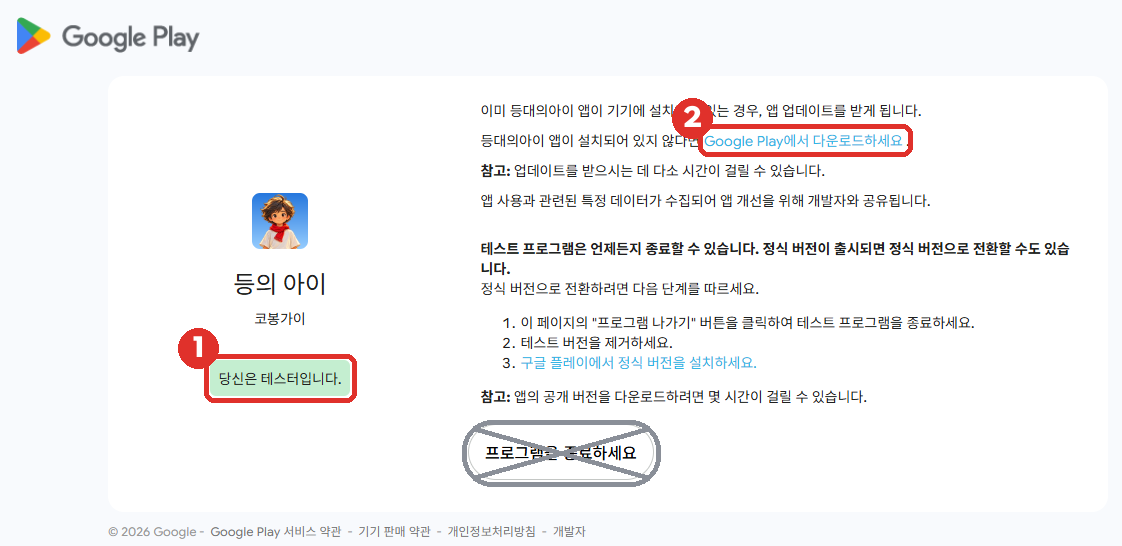
Install from the Play Store and start climbing
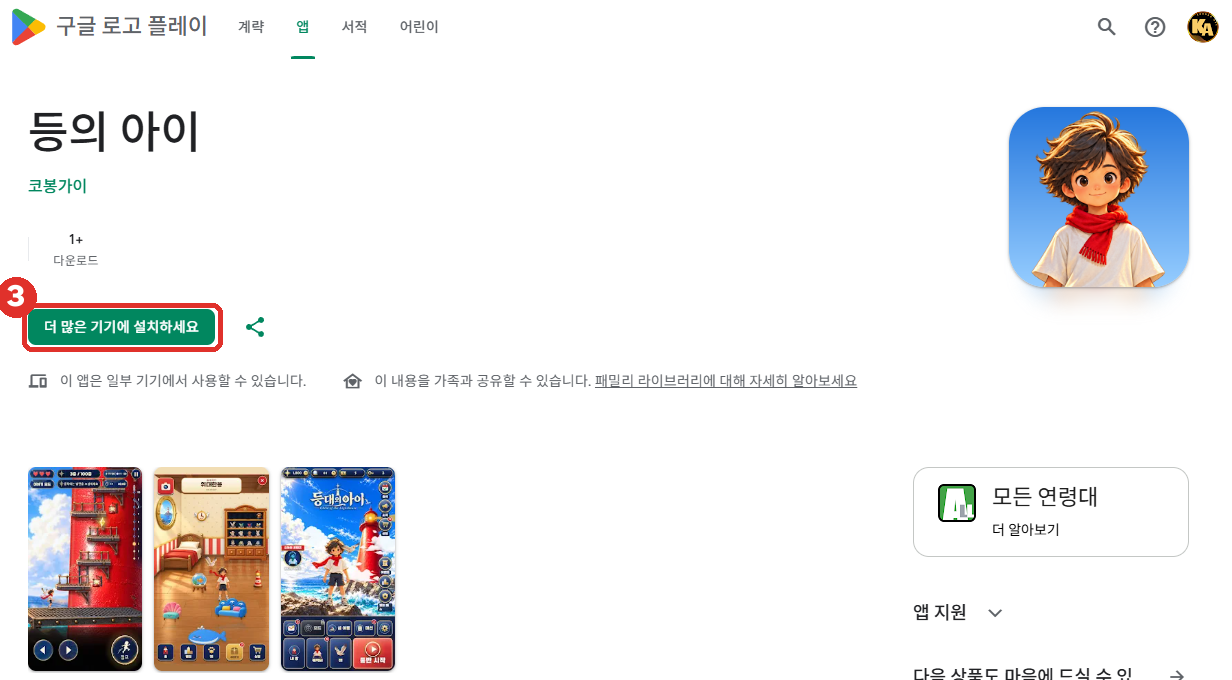
Pressing ② opens Child of the Lighthouse on the Play Store. Press the green Install button. When it finishes, open the game and start climbing. The app opens without a tester code.
On a PC or iPhone, use the web version
The web version asks for a tester code. Enter the code from step 2 and press "게임 시작" (Start). Each device asks only once.
Open the web versionKeep it for 14 days
For 14 days from the day you install, please keep the app and do not press "Leave the program", and play now and then. Testers need to stay in the program for the game to go through review for its full release.
Leave one line of feedback
Tell us what you liked or what felt awkward in one line on the official cafe board "등대 우체통 > 의견·버그 신고" (Feedback and bug reports), the website's feedback board, or the open chat room.
Questions
- Can I try it without installing?
- For now only registered testers can play. With the tester code from step 2 you can also play the web version.
- I forgot my tester code.
- Check the "등록 완료" message in your 1:1 chat with the lighthouse keeper.
- Does it cost anything?
- Joining the test and installing are free.